Logistics · kits, inventory and site layout
The right material, on the right floor, before the crew arrives.
Kits with a place in the site storeroom, requisitions that pull the kit to the work front, a PFEP that says when to buy and when to receive, and the site checked on a 5S walk. All on the same project as the schedule and the budget, with no separate module.
Logistics comes with every planOn every plan · one project free, no credit card · on paid plans, you pay per engineering team member, with unlimited projects and field crew: on Canteiro, per month for one person.
Kanban · the kit supermarket and the FRM
Every kit has a place on the shelf. The front pulls it through the requisition.
Each kit is the bill of materials for a work package: material, quantity, cost, supplier and how each item goes up. If a material goes up by tower crane or rack-and-pinion hoist, the whole kit inherits the requirement. Each active kit gets the QR label for its shelf in the site storeroom. Whoever needs it can request the whole kit instead of item by item.
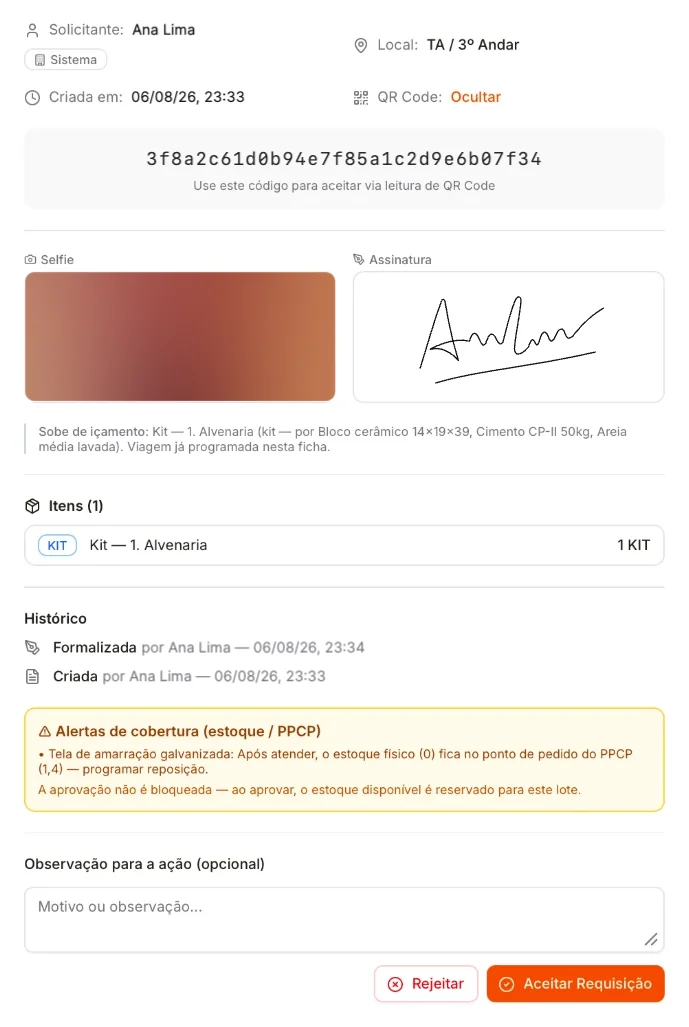
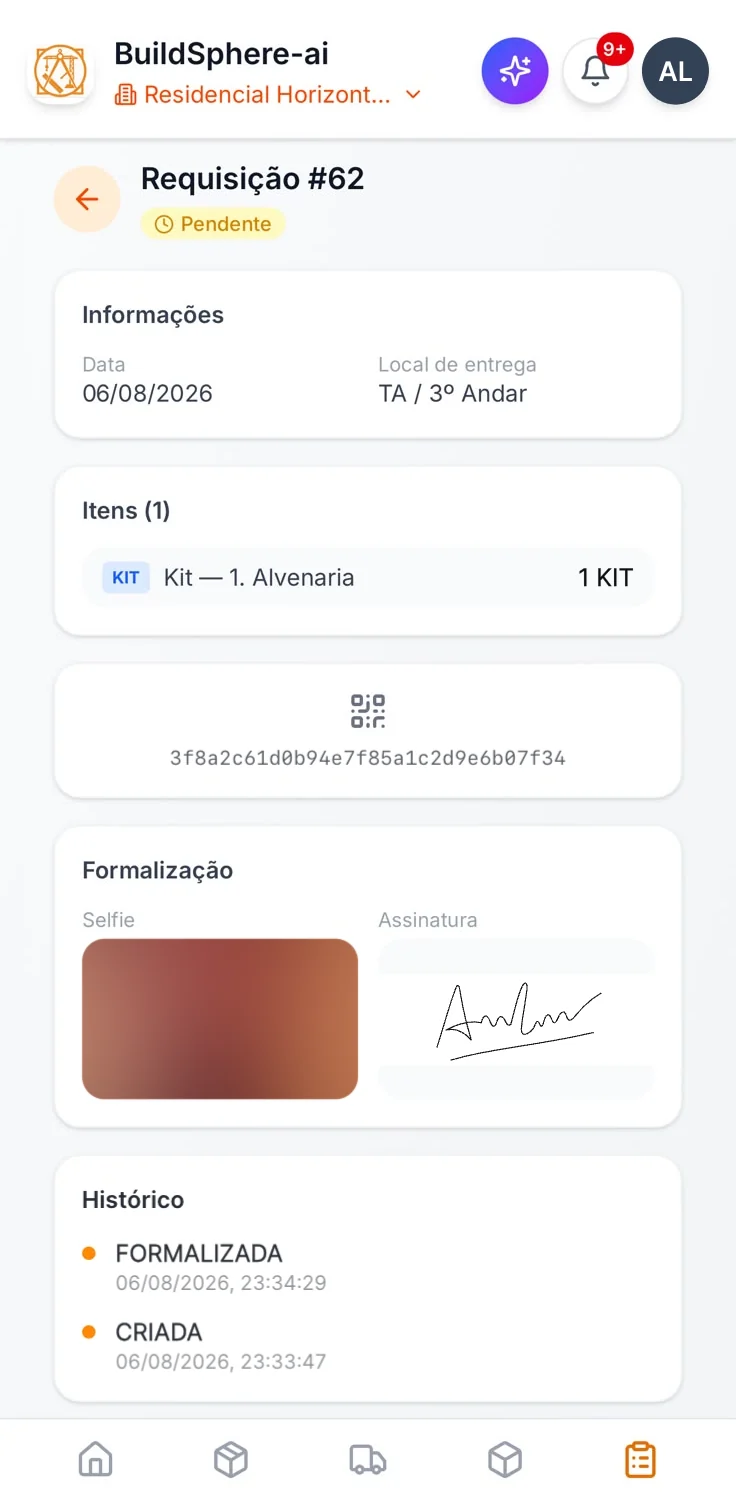
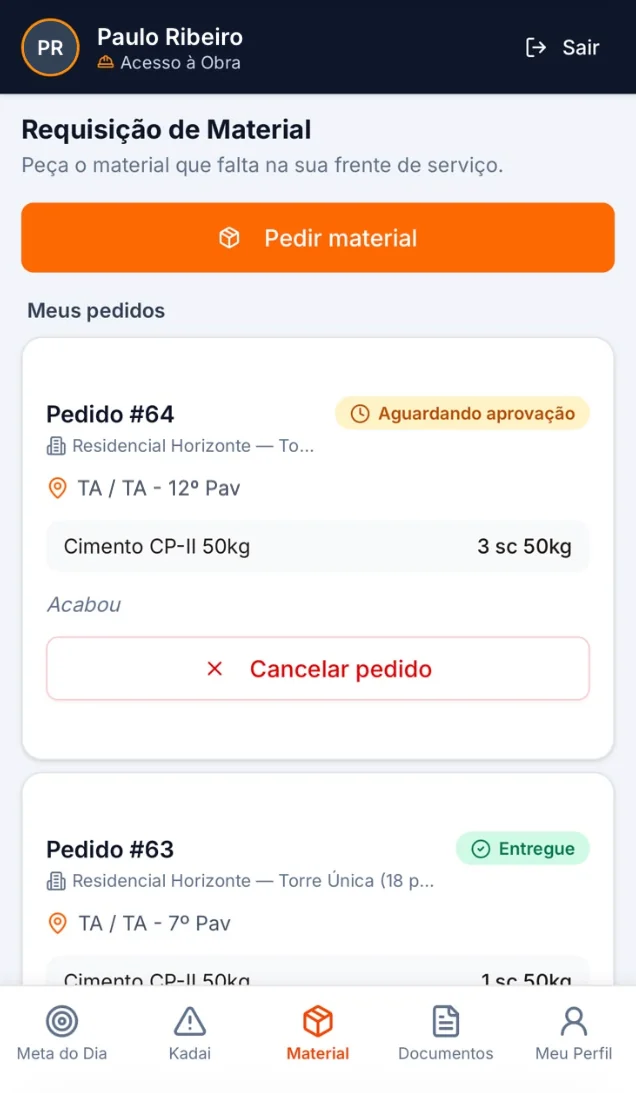
The request is the Material Requisition Form (FRM), on the web or in the phone's Logistics screen, always with the delivery location: tower and floor. The requester signs, the form generates a QR code and whoever can accept it is notified. If the kit requires hoisting, the form requests the trip. Acceptance reserves the stock. When the material leaves the site storeroom, whoever accepts requisitions records the withdrawal, and stock is deducted at that point. If no one records the withdrawal, it is deducted on delivery. Never twice. The QR code is valid once to accept and once to confirm the transport. The requester is notified when the material arrives.
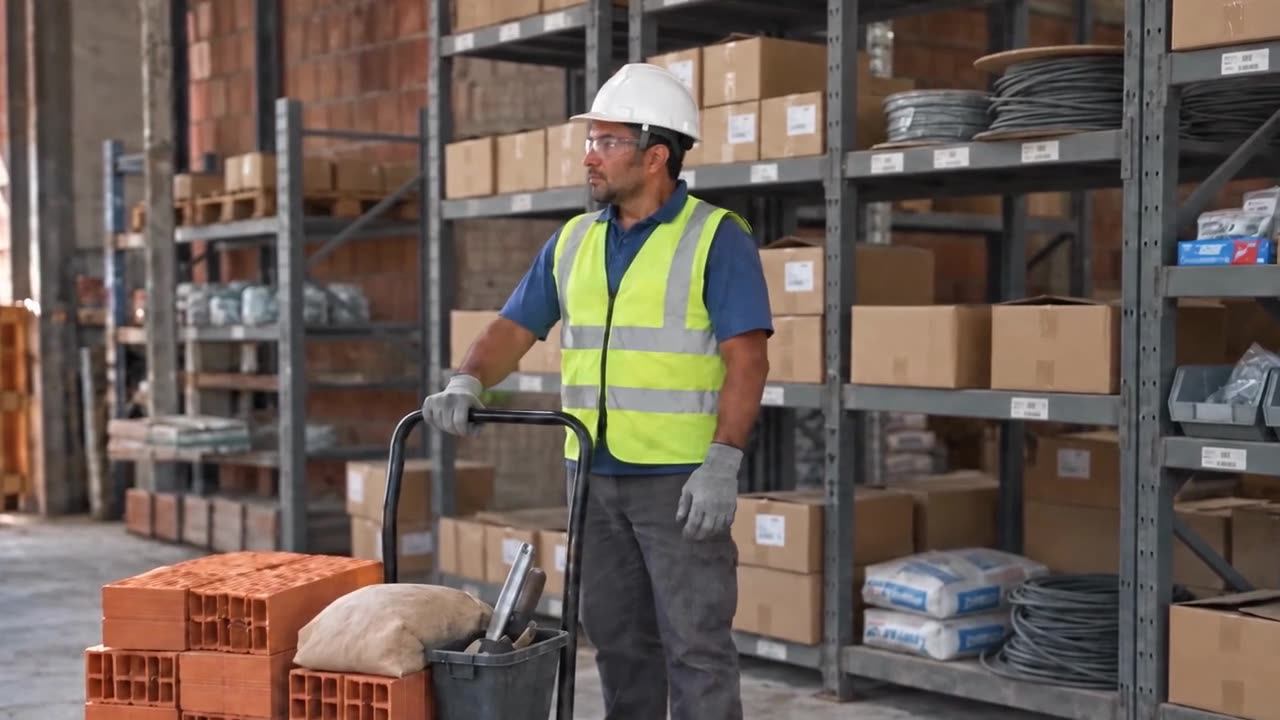 Watch the 3rd-floor kit arrive · 27 sIllustration with demo data
On the kanban: the Requisition Kanban has its own page in Logistics, on the web and on the phone. Each form, for a material or a kit, is a card. The default columns are Awaiting approval, Approved, Withdrawn, Transfer approved and Supplied to the floor. Transfer approved is the form's trip executed in Scheduling; a form with no trip skips that column. Each column can have a deadline in hours, and the card color shows how long it has been there: on time, due soon or overdue. By default, only the last column has no deadline. On the web, dragging the card moves the form to its next step, with the same permission. Each project can change columns and deadlines and publish its configuration as the company default.
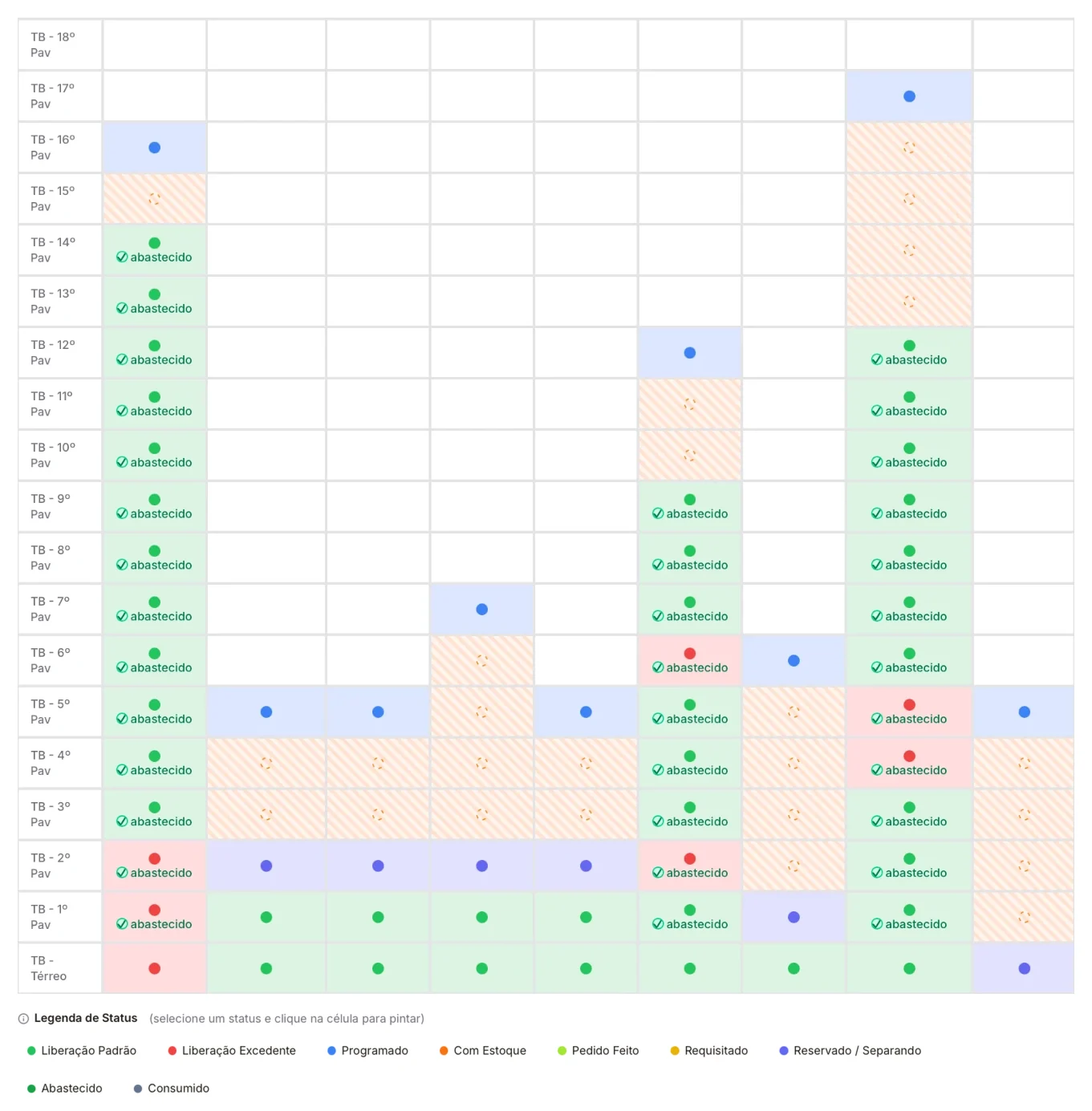
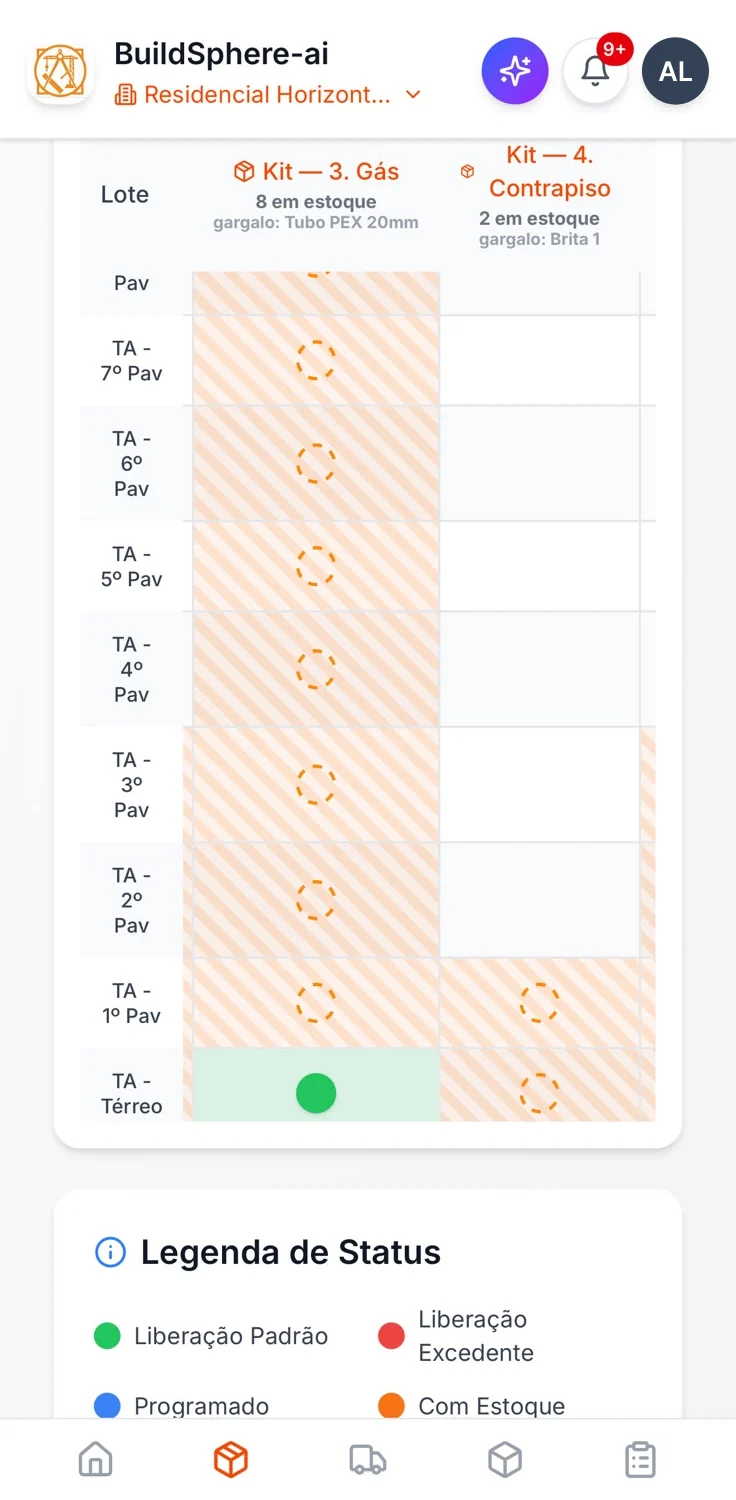
On the board: a kit requisition colors in that floor's cell on the Supply Board. Once formalized, the cell shows “Requested”. Once accepted, “Reserved / Picking”. Once delivered, “Supplied”, with the quantity. How many kits each zone needs comes from the board configuration. If no one changes it, it is 1; for a kit that varies by floor plan, it is 1 per unit of that plan in the zone. When the zone needs more than one, delivering fewer shows “Partially supplied”. Delivering more than it needs shows “Excess Release”. The board reads from bottom to top, the way the building goes up, and shows how far the kit stock reaches. At the top of each kit, it says how many kits are in stock.
In the worker app, the request enters the same acceptance queue, without a signature and without the hoisting trip, which stays with engineering. The location already comes from the zone in the day's plan. With no activity scheduled, the worker chooses the location and requests the same way.
PFEP · from the schedule to the gate
The project pulls the material. The PFEP says when to buy and when to receive.
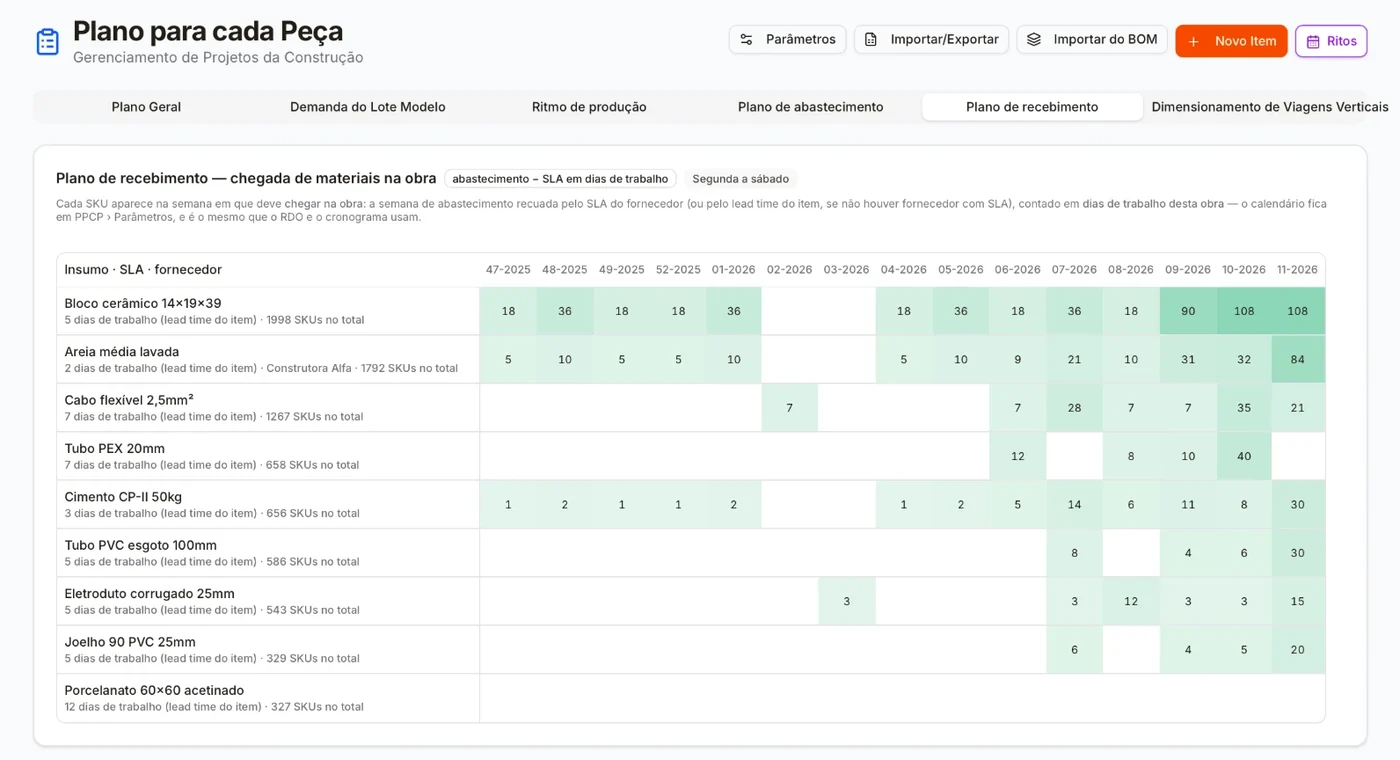
The production pace comes out of the schedule together with the kits: how many zones each work package starts per week. That demand is what pulls logistics. The supply plan says how much of each material, in packaging units (SKUs), needs to be at the point of use each week, and how much yard space that takes up. The receiving plan is the same matrix, shifted back by the supplier's lead time. The lead time counts your project's working days, on the same calendar as the RDO and the schedule. A material with no lead time registered shows up flagged, arriving in its own week of use: that is a missing lead time, not a delivery promise.
 Watch the block arrive in the right week · 28 sIllustration with demo data
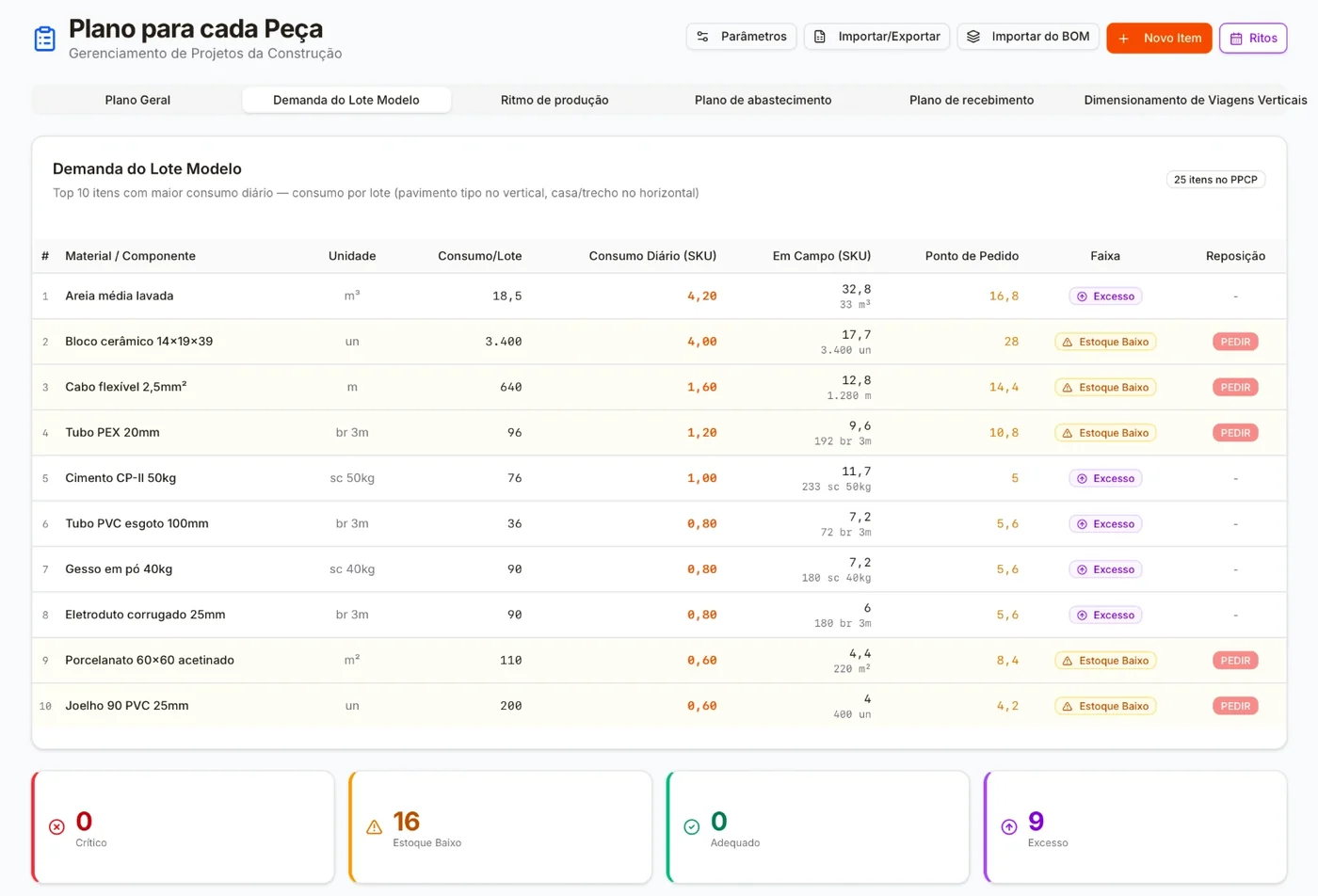
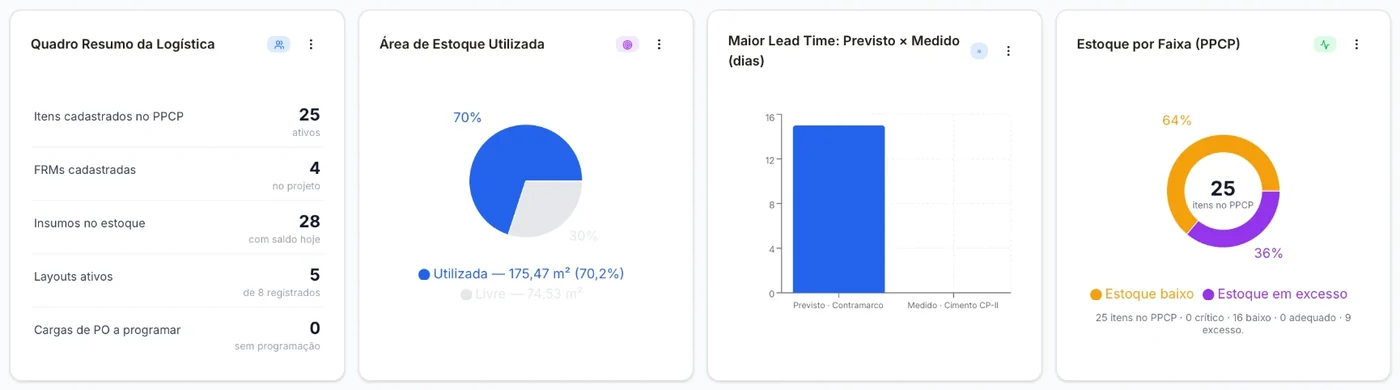
Each PFEP material has four stock bands: critical, low, adequate and excess. The top of the low band is the reorder point. When the available stock crosses that point, whoever handles the PFEP and Purchasing gets the alert. Excess shows up too: it is capital and yard space sitting idle.
And hoisting: each week's demand for vertical trips against the registered capacity of the tower crane and the rack-and-pinion hoist. A week that goes over capacity turns red.
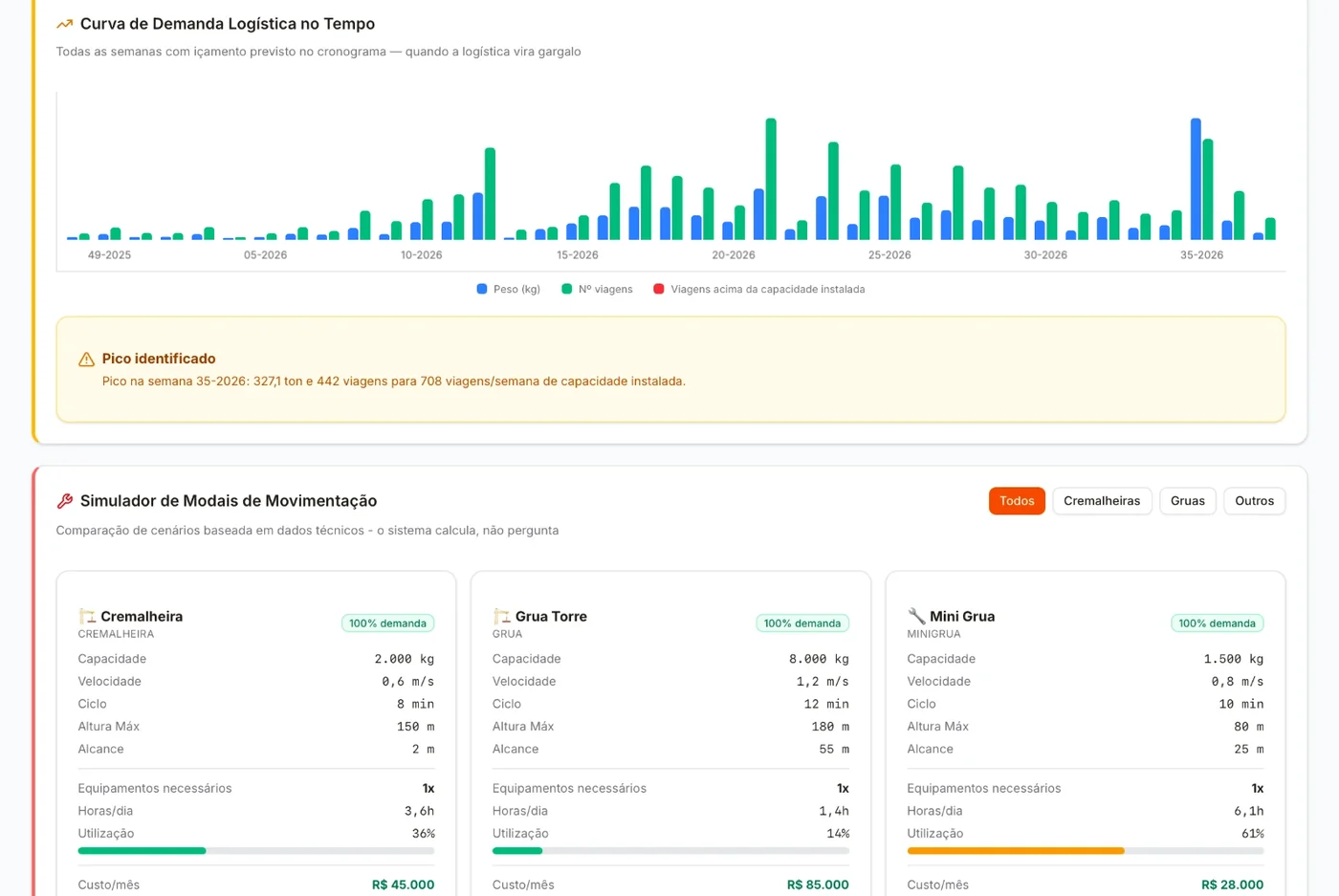
In the schedule, Work Front Preparation shows, through the kits, whether the work package's material is in stock. Only reserving the kit for that zone confirms the coverage.
Layout management · site, storeroom, carts and 5S
Every material has a place. The 5S walk checks that it's there.
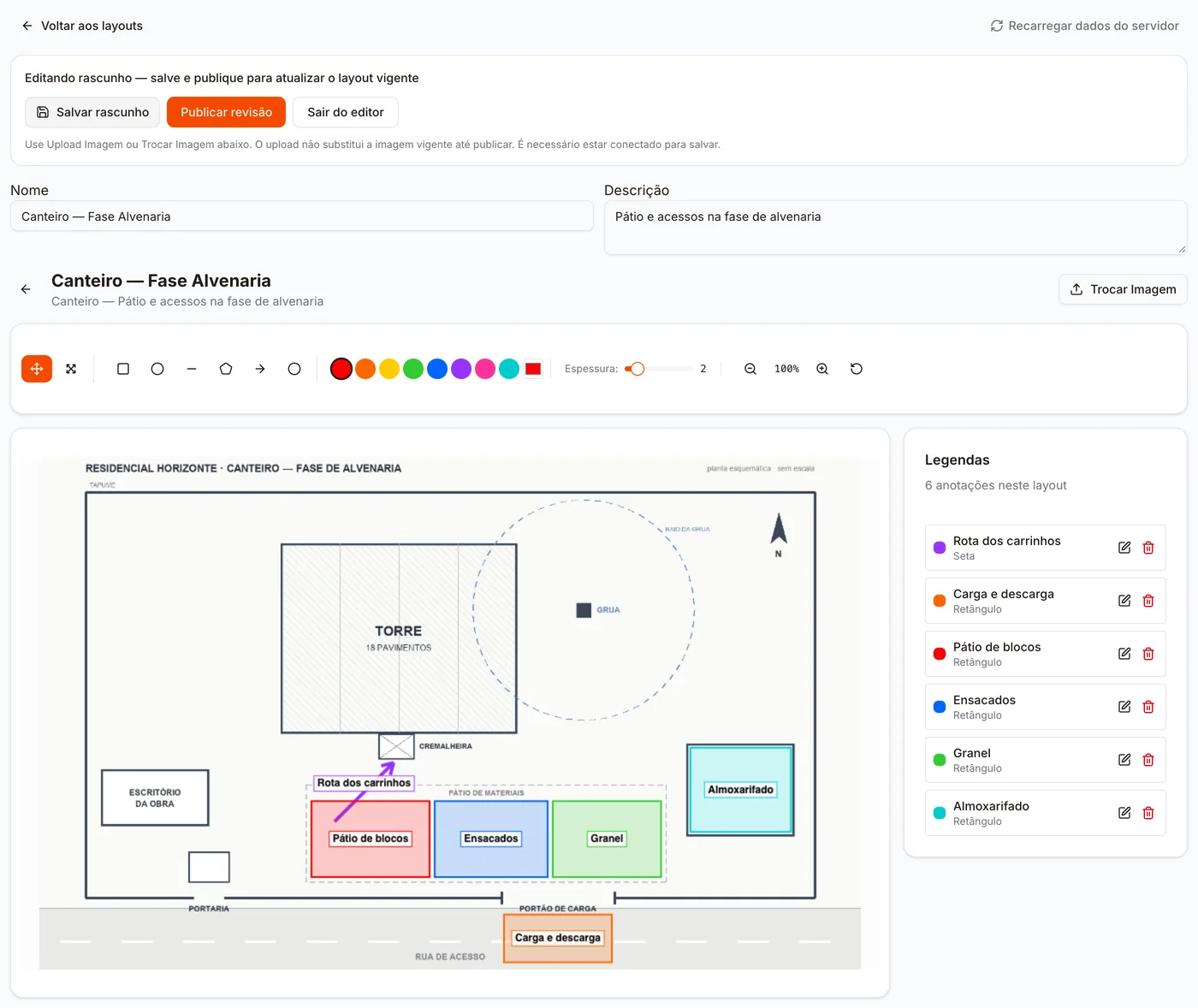
There are six layout standards: typical floor, logistics carts, site, storeroom, supply and processes. Over an image of the floor plan or the location, you mark the areas with rectangles, circles, lines, arrows and polygons, and write the legend. Logistics carts include each cart's safe path, the forklift route, the position of the rack-and-pinion hoist and the loading and unloading points. Supply includes the reference photos for bagged, palletized and bulk materials.
 Watch the walk clear the route · 29 sIllustration with demo data
The draft doesn't change the standard in use. Publishing creates a revision with a justification, and the previous one stays in the history. Whoever sees Layout Management is notified of the new revision.
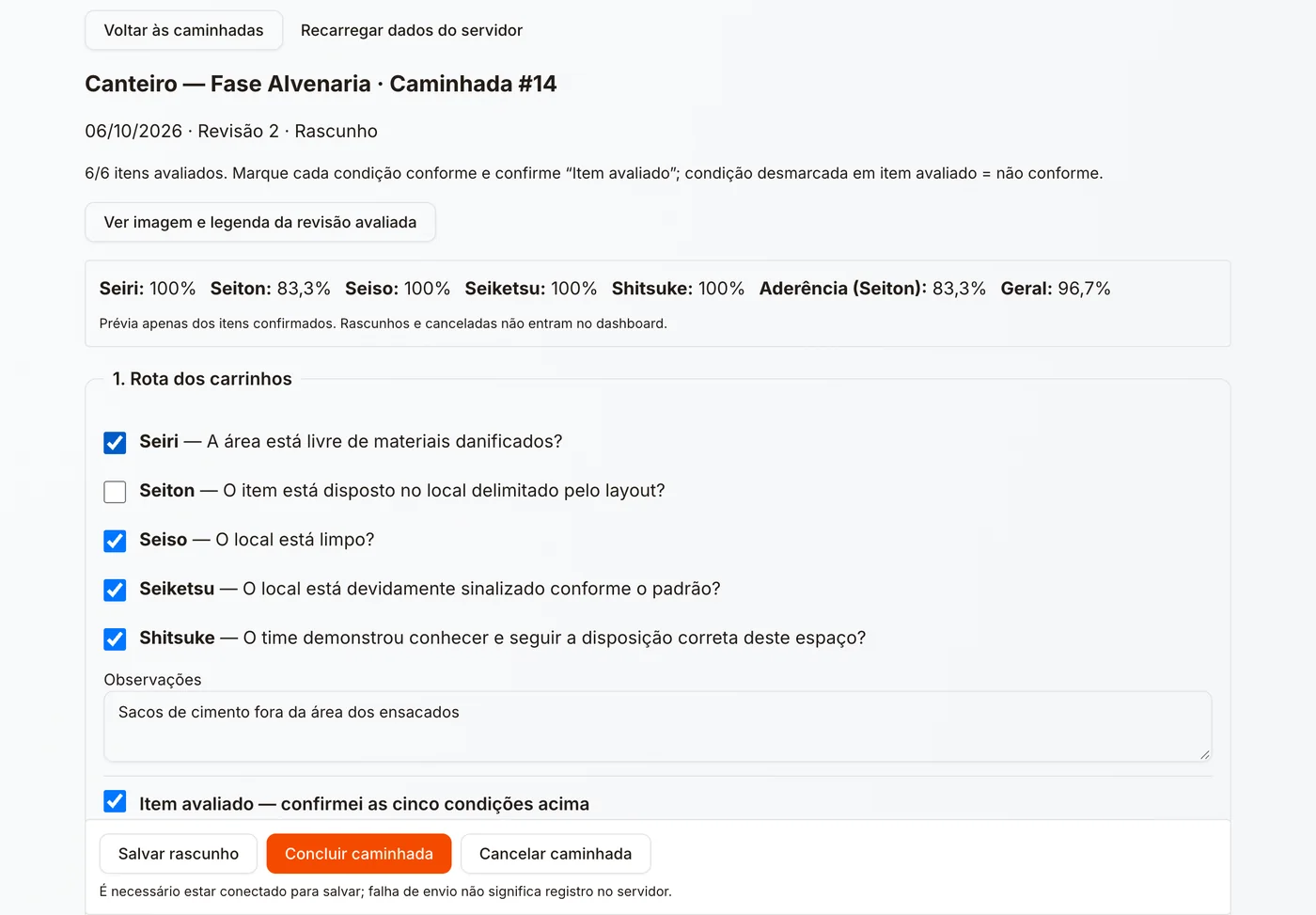
On the 5S walk, each legend item goes through the five questions, from Seiri to Shitsuke. Adherence to the layout is the Seiton score. A month without a walk has no assessment: it doesn't become zero.
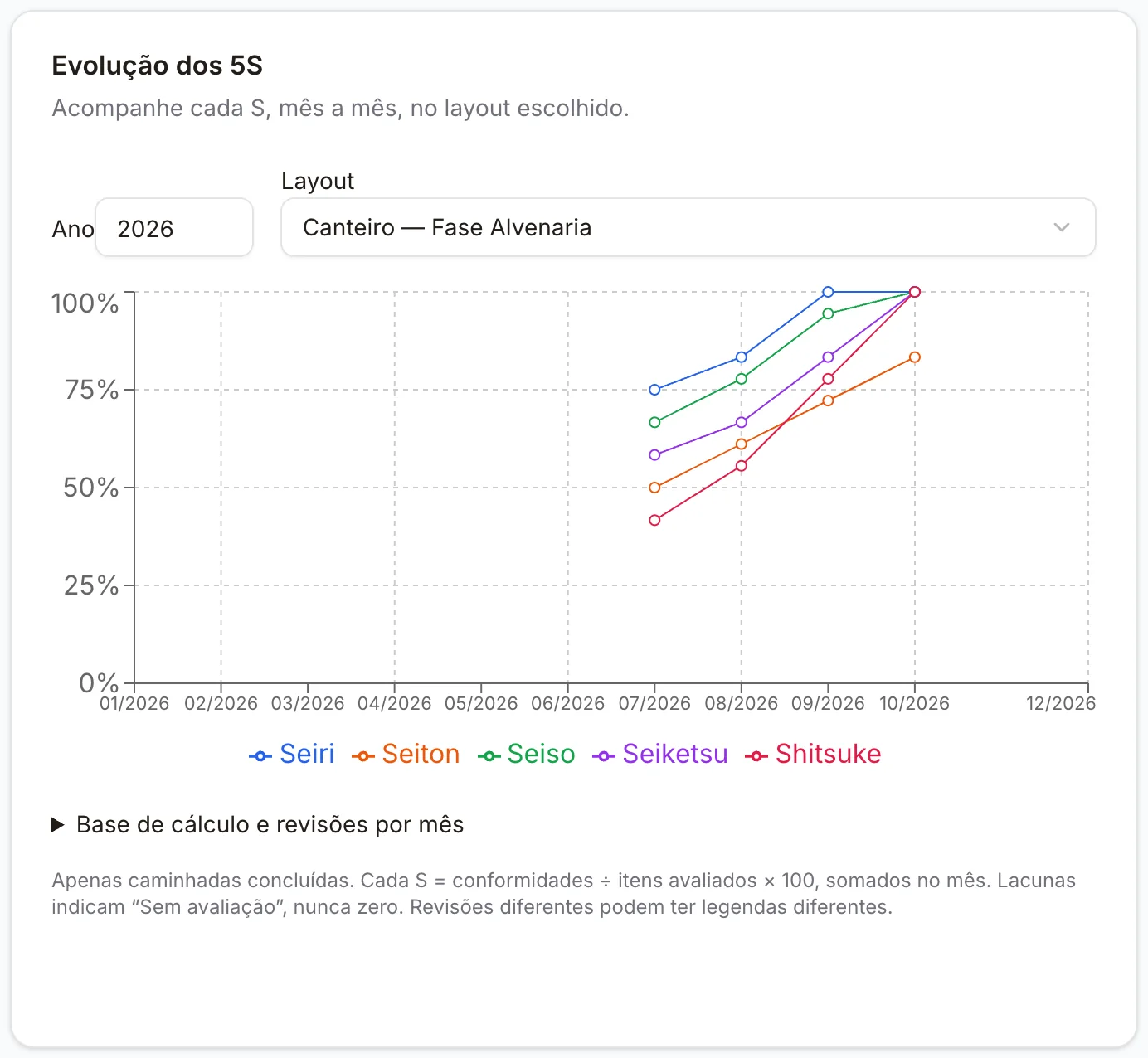
On the dashboard, the 5S trend and each layout's adherence, month by month. In the portfolio, the projects side by side.
Inventory management · from the gate to the shelf
In through a single receipt, out through the label or the FRM. There is only one balance.
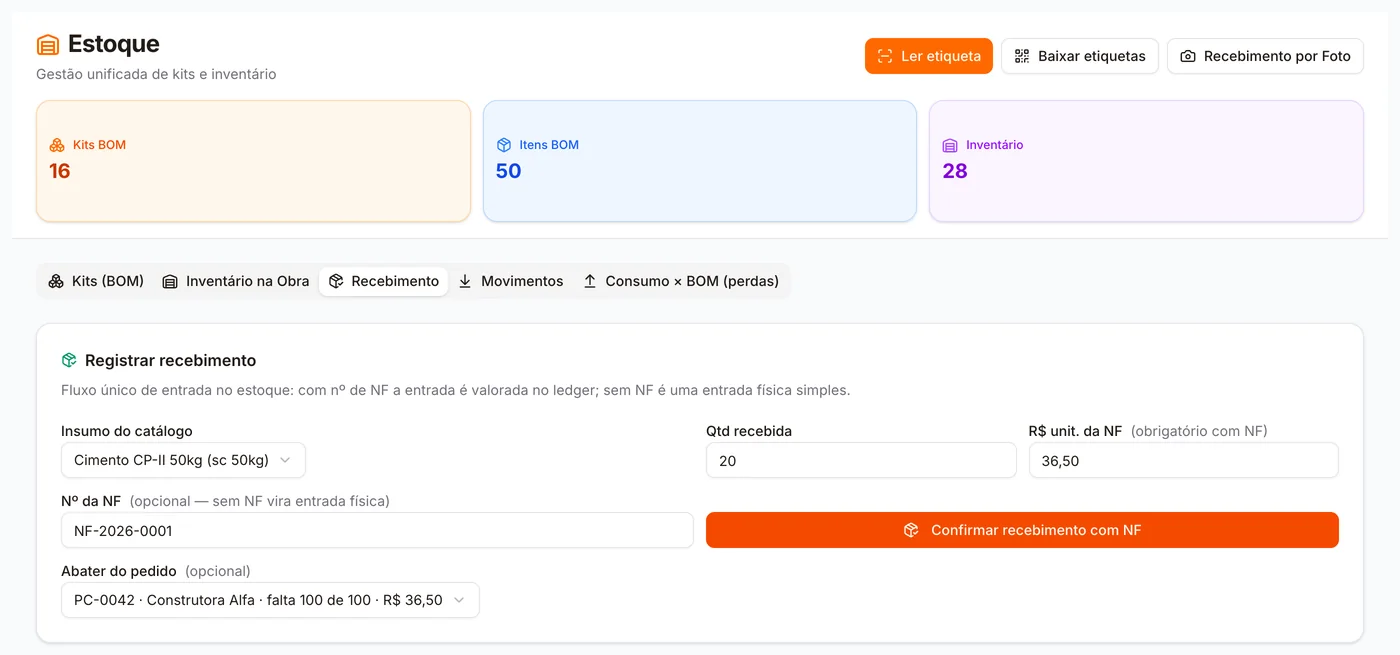
Everything that arrives goes through a single receipt. With the invoice, the entry carries the invoice number and unit price, and the stock is valued. If the project has a purchase order with an open balance for that material, the entry with an invoice can be applied against the order item, and the order moves to partially received or received. An invoice above the order price alerts whoever tracks purchasing. Without an invoice, it comes in as a physical entry. Both go into the same movement ledger. Incoming loads sit in Delivery Scheduling, with day and time, and loads for the tower crane or rack-and-pinion hoist also with the equipment. The day before, whoever handles receiving gets the list of the next day's deliveries.
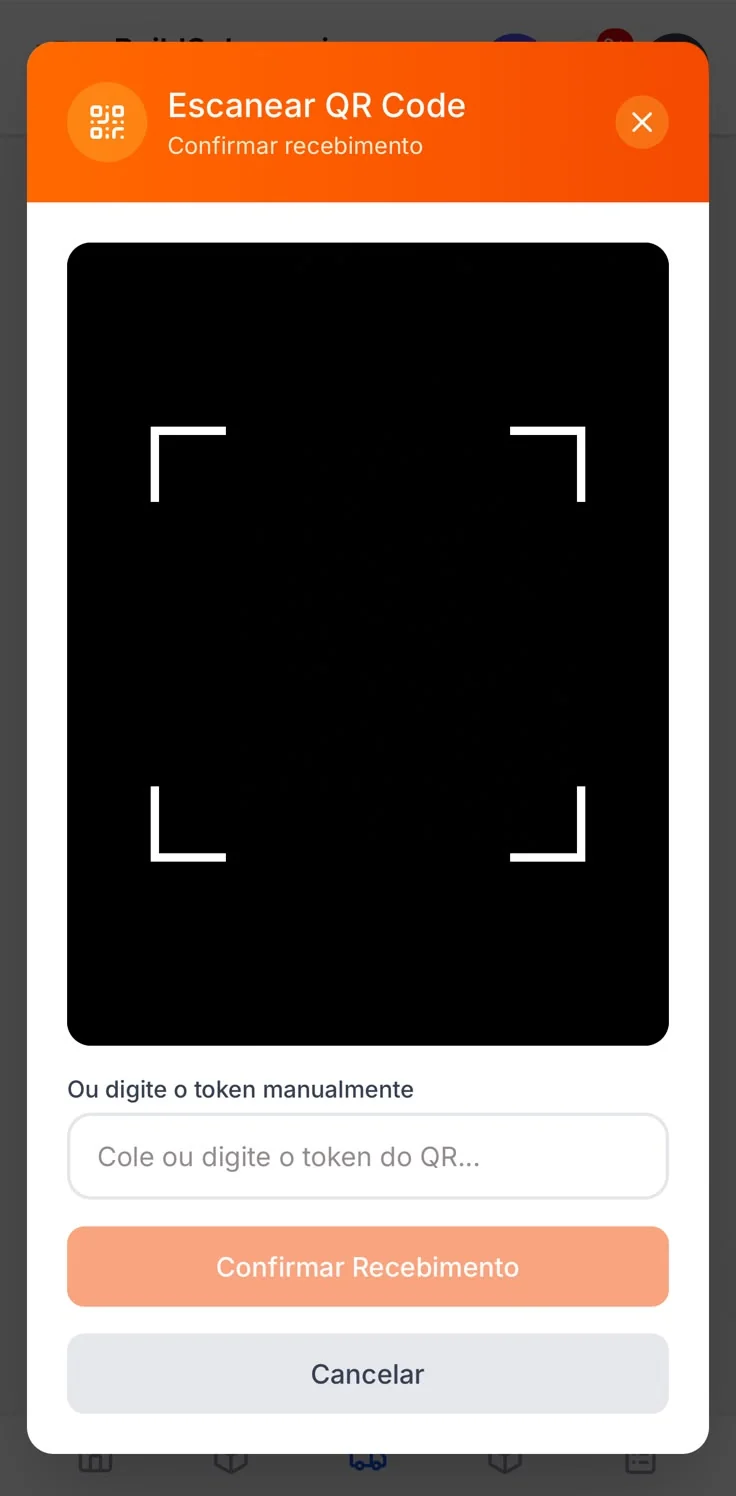
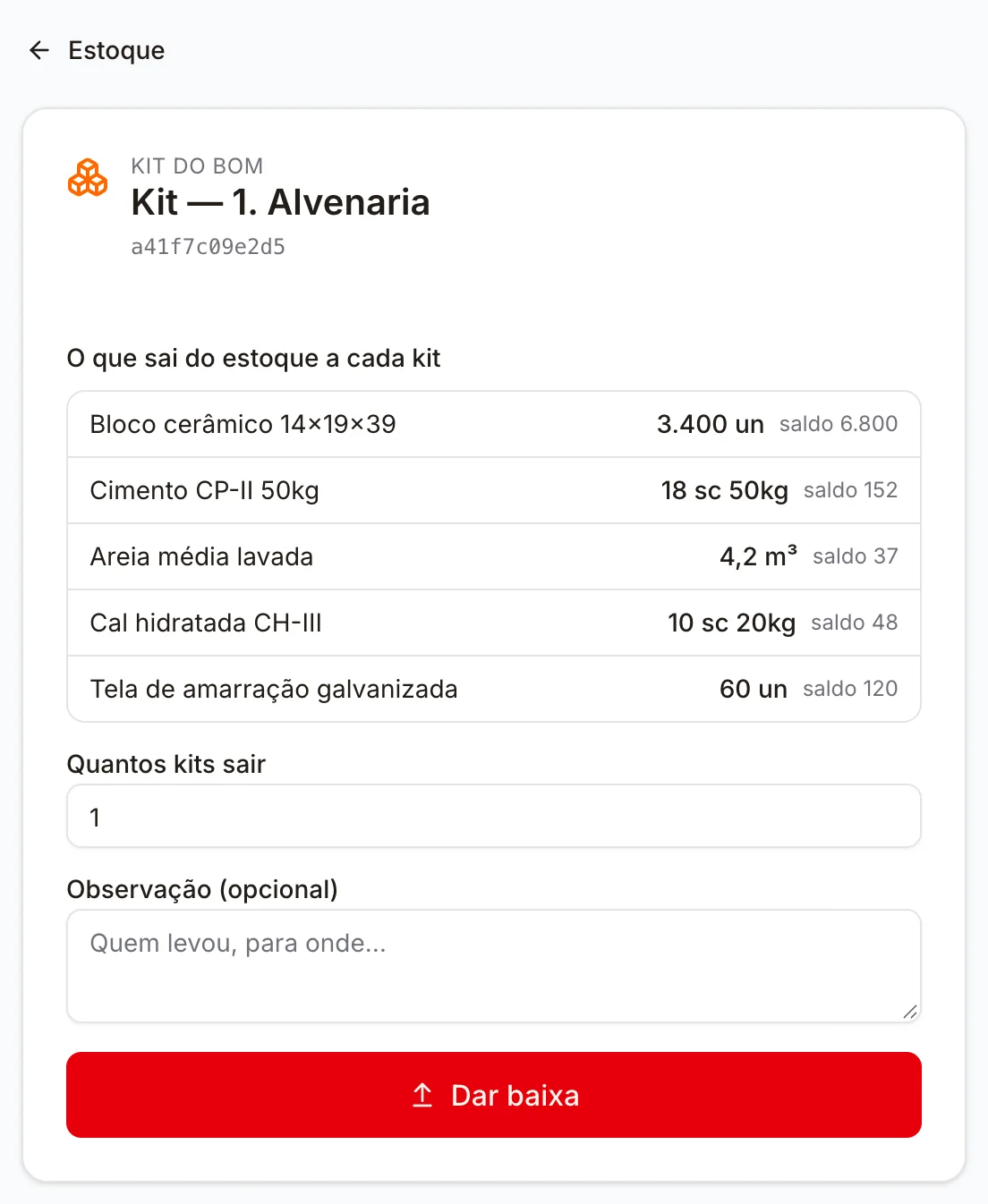
On the shelf, the QR label goes straight to the stock withdrawal, with the balance in front of you. Withdrawing a kit withdraws each of its materials, and the screen shows the list before you confirm. If the withdrawal asks for more than the balance, only what is available goes out, and the screen warns you: the balance never goes negative. The code on a label that is already stuck on never changes.
 Watch the invoice come in and the kit go out · 28 sIllustration with demo data
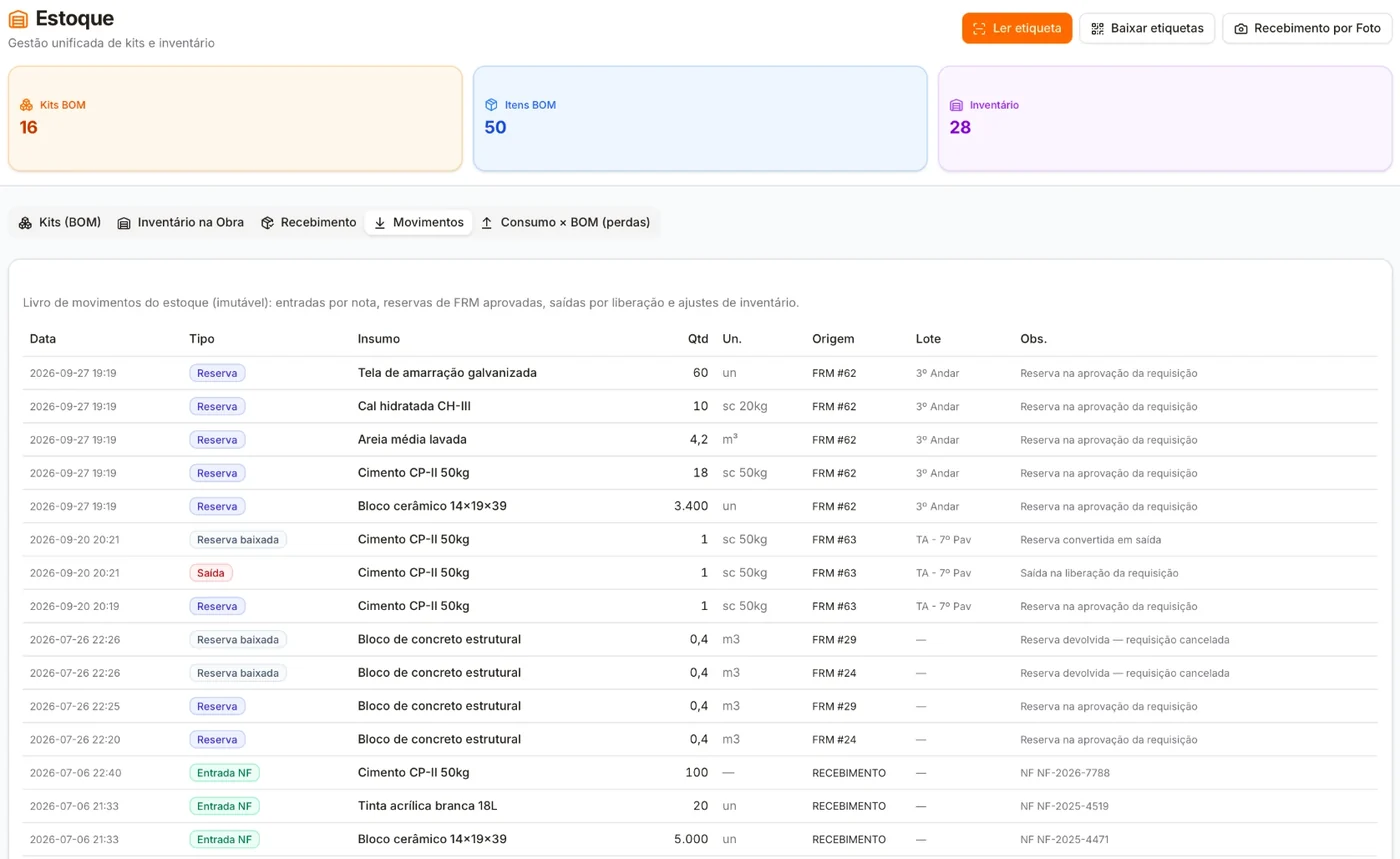
On the logistics dashboard: the inventory value, the storage area occupied (against the free area, when the available area is registered), the longest forecast delivery lead time against the measured one and the four bands of the PFEP materials.
Consumables and Freight Control compares budgeted with consumed, zone by zone, with the waste on both bases, and budgeted freight with freight paid.
Run the numbers · no separate module
Put what you pay today on the scales, with logistics included.
Kits, requisitions, PFEP, inventory and layouts come on the same plan as planning, budgeting and quality. There is no module sold separately. You pay for the engineering team members who use the system in the office; projects and field crew don't count toward the bill.
Reading the packing list by photo is usage-based, bought separately by volume, and is not included in the free account. Without it, the receiving items are entered by hand.

Get started · free, no credit card
Start with the kit for the next floor.
Create a free account: one person on the engineering team, one project and five people in the field, no credit card, no expiration date. Register the materials, build the first kit and publish the site layout from an image. When the project needs more, you pay per engineering team member: on Canteiro, per month for one person. Launch price until 12/31/2026.
A kit that worked can become a company standard. The next project creates its own kit from it, and changing the standard later doesn't touch the projects that already copied it.
The intelligent way to build as one